


Salesforce Integration Services: Powering End-to-End Business Transformation
In today’s connected enterprise, Salesforce is most powerful when it works in harmony with your other mission-critical platforms.
At Lakebridge Solutions, we specialize in secure, scalable, and intelligent Salesforce integrations with ERPs, banking stacks, collaboration platforms, and development tools. Our expert team ensures your CRM becomes a hub of operational excellence—not just a sales system.
Here’s how we bridge Salesforce with other platforms to unlock automation, visibility, and ROI.
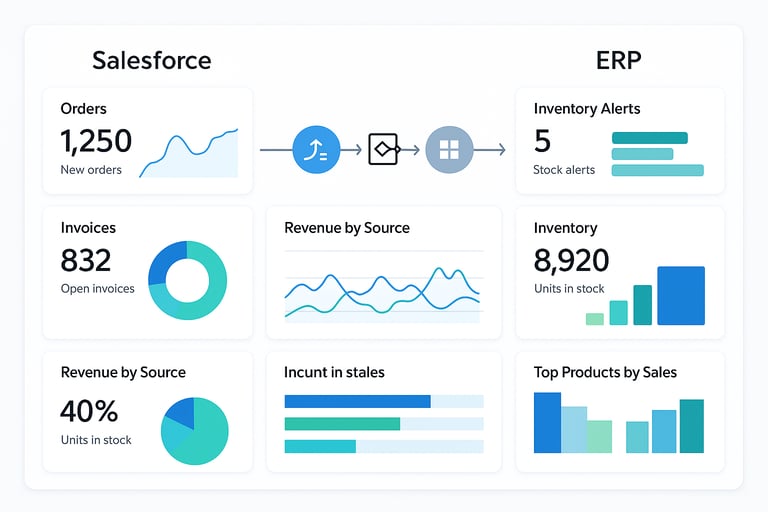
Salesforce + ERP Integration (SAP, Oracle, NetSuite, Microsoft Dynamics)
Why It Matters:
ERP and CRM must talk to each other. Without it, customer data is disconnected from financials, inventory, and service delivery—causing delays, order errors, and poor customer experience.
What We Offer:
Real-time sync of customer orders, invoices, and payments
Automated quote-to-cash process inside Salesforce
Bi-directional sync between Salesforce objects and ERP modules
Custom middleware, REST APIs, or prebuilt connectors
Benefits :
42% reduction in manual data entry
25% faster sales-to-invoice cycle
1-click access to credit limits, inventory, and order history from Salesforce
Enhanced forecasting with synced actuals from ERP
Use Case :
For a U.S.-based logistics firm, integration of Salesforce Sales Cloud with SAP S/4HANA, enabling the sales team to generate real-time inventory-aware quotes. This led to a 35% increase in closed-won deals and eliminated inventory-related order issues.
Salesforce + Banking Stack (Core Banking, Loan Origination, KYC Tools)
Why It Matters:
Financial firms need Salesforce to be more than just a CRM—it must support compliance, risk evaluation, and loan servicing. Integrating Salesforce with your banking infrastructure unlocks automation and transparency.
What We Offer:
Core banking integration (Temenos, Finacle, Fiserv)
KYC/AML system sync (with tools like Actimize, LexisNexis)
Loan origination updates in Salesforce timelines
Real-time credit check APIs tied to Salesforce lead scoring
Benefits :
30% reduction in loan processing time
50% fewer KYC document gaps
Improved client onboarding experience
Seamless 360° view for advisors and relationship managers
Use Case :
For a regional U.S. bank, integration of Salesforce Financial Services Cloud with a legacy core banking platform and a third-party KYC tool. Advisors could now view customer credit limits, loan stages, and flagged compliance issues within Salesforce.
Salesforce + Zendesk Integration
Why It Matters:
If your support team uses Zendesk and your sales team uses Salesforce, valuable customer data lives in silos. Integrating them creates a unified customer journey—where sales sees open tickets, and support sees past deals.
What We Offer:
View Zendesk tickets inside Salesforce contact or account records
Escalate Salesforce cases directly into Zendesk workflows
Auto-close tickets in Zendesk when opportunities are won
Sync customer satisfaction (CSAT) scores to Salesforce dashboards
Benefits :
100% visibility into pre- and post-sale activity
28% faster ticket resolution on escalations
Consistent CX across departments
Reduced context-switching between tools
Use Case:
For a U.S.-based software provider, enabled Salesforce → Zendesk integration. Sales reps could now see ticket history before a renewal conversation, leading to a 22% increase in renewals.
Salesforce + Slack Integration
Why It Matters:
Slack is where collaboration happens. When combined with Salesforce, it becomes a real-time CRM assistant—pushing updates, alerts, and workflows to the right channels instantly.
What We Offer:
Auto-post Salesforce updates to Slack (e.g., new deal won, lead assigned)
Create Slack channels for opportunities or accounts
Approvals and task assignments directly inside Slack
Slack → Salesforce record creation with slash commands
Benefits:
40% faster deal collaboration
Reduced response times on approvals
Increased visibility across sales and ops teams
Happier teams using fewer tools to get more done
Use Case :
FinTech firm integrate Slack with Salesforce Sales Cloud and CPQ. When a quote was created, it was auto-shared in the deal channel. Executives approved pricing in Slack—cutting deal closure time by 26%.
Salesforce + GitHub Integration (for Dev Teams)
Why It Matters:
When development and customer-facing teams work in parallel, integration between GitHub and Salesforce keeps client requirements, bugs, and features aligned.
What We Offer:
Auto-create GitHub issues from Salesforce cases or tasks
Link pull requests to Salesforce features or bugs
CI/CD pipeline triggers based on Salesforce changes
GitHub deployment status within Salesforce change logs
Benefits :
35% fewer missed feature requests
Faster feedback loops between product and support
Transparency for client teams watching release progress
Use Case :
A SaaS company’s customer support team worked in Salesforce, while developers used GitHub. We built an integration that linked cases to GitHub issues, improving dev response time and tracking to resolution.
✅ Why Choose Lakebridge for Salesforce Integrations?
U.S. and European timezone-aligned delivery teams
Certified Salesforce developers and architects
Integration specialists for SAP, Oracle, Finacle, Zendesk, and more
SLA-backed onboarding and support
Ready to connect your platforms for performance?
👉 Book a Free Integration Assessment
FAQs
How do you integrate Salesforce with legacy systems?
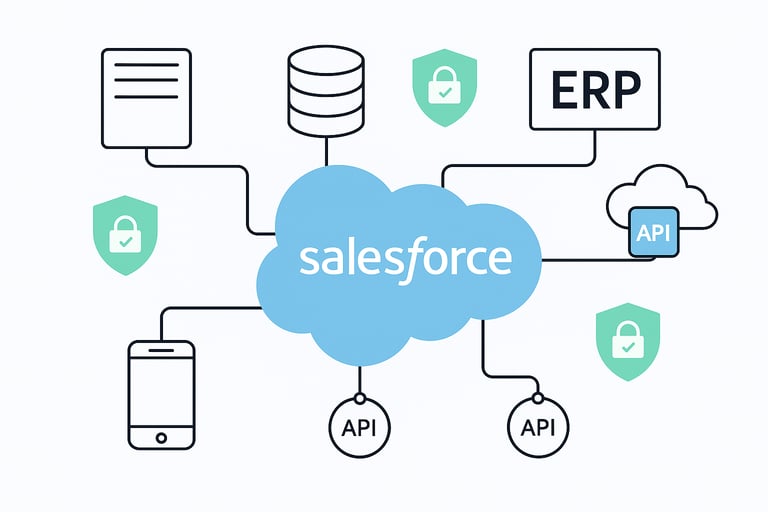
Integrating Salesforce with legacy systems like mainframes or old on-prem databases involves a combination of middleware, APIs, and secure protocols. At Lakebridge, we use tools like MuleSoft, Jitterbit, and REST/SOAP APIs to establish real-time or batch integrations. When APIs aren't available, we implement ETL processes or create custom connectors. Our approach begins with understanding your system’s architecture, data formats (like XML, CSV), and security requirements. We map Salesforce objects (like Accounts, Opportunities) to your legacy database fields and build middleware logic to handle authentication, transformation, and data flow. For large enterprises, we often use a service bus model to manage complexity and scale. The result is a seamless, bi-directional integration where legacy data powers Salesforce reports and Salesforce activity feeds back into your existing system.
Is data safe on Salesforce?
Yes. Salesforce follows some of the most rigorous data security protocols in the cloud industry. It is SOC 1, SOC 2, ISO 27001, and HIPAA compliant, with multi-factor authentication (MFA), data encryption (at rest and in transit), role-based access control, and audit trails. For enterprise clients, Salesforce Shield adds an extra layer of event monitoring and field-level encryption. Lakebridge ensures that all integrations use secure APIs with OAuth2 and IP whitelisting. We also offer a security audit during onboarding to verify data handling compliance. Your data is encrypted in transit using TLS 1.2+ and stored redundantly across secure Salesforce data centers. If you operate in finance or healthcare, our experts configure Salesforce to meet PCI DSS or HIPAA standards, giving your security and compliance teams peace of mind.
What is the best method to sync Salesforce with an on-premise database?
We typically use middleware like MuleSoft or Talend for syncing Salesforce with on-premise databases such as Oracle or SQL Server. This allows for scheduled or event-driven syncs, ensuring real-time visibility with failover control.
Can I integrate Salesforce with a mainframe system?
Yes. Even without modern APIs, we can integrate Salesforce with mainframes using flat files, COBOL data extractions, or custom connectors built via MuleSoft. Batch processing is used with transformation layers.
How do Salesforce APIs work for integrations?
Salesforce supports REST and SOAP APIs. REST is commonly used for lightweight, mobile-friendly integrations, while SOAP offers more robust enterprise operations. Bulk API 2.0 is ideal for large data syncs.
What tools do you use for Salesforce integration projects?
We use MuleSoft, Jitterbit, Boomi, Talend, and Zapier for varying levels of integration—from enterprise to quick connections. Custom Apex classes are also used when no middleware is viable.
How do you maintain data consistency across integrated systems?
We build bi-directional sync rules, version control, and error-handling logic in middleware. Timestamp-based syncs, deduplication, and field-level validation ensure clean and consistent data.
Can Salesforce integrate with AWS or Azure cloud services?
Absolutely. We build direct integrations between Salesforce and AWS S3, RDS, Lambda, and Azure Logic Apps or Blob Storage for storage, analytics, or automation flows.
Is there a way to monitor API failures or data sync errors?
Yes. We implement automated error reporting via middleware dashboards and Salesforce Shield (Event Monitoring). Alerts are routed to Slack, email, or ITSM tools.
What are the common performance issues in integrations and how do you solve them?
Issues include API rate limits, long load times, and timeout errors. We optimize payloads, use bulk APIs, and enable smart retries with exponential backoff strategies.
How do you handle Salesforce integration with multiple environments (Dev, QA, Prod)?
We set up CI/CD pipelines with versioned metadata, GitHub repositories, and sandbox refresh strategies. Jenkins or GitHub Actions help us deploy across orgs safely.
Can I limit which data is shared during integrations?
Yes. We implement data filtering based on roles, field-level permissions, or integration-specific rules to ensure minimal necessary data is shared securely.
How do you manage version control in Salesforce integrations?
We use GitHub or Bitbucket to version-control integration code, metadata, and custom scripts. We also version API schemas to ensure backward compatibility.
What compliance regulations can you support during integration (HIPAA, PCI, etc.)?
We support HIPAA, PCI DSS, SOC 2, and GDPR compliance with Salesforce Shield, encrypted data flows, audit trails, and endpoint security.
How long does a typical Salesforce integration project take?
It depends on the complexity. Simple integrations take 2–4 weeks. Complex ERP or banking system integrations may take 6–12 weeks including UAT and go-live.
Start Building Your Industry CRM
Ready to Build a Salesforce Ecosystem Designed for Your Business?
Book a free discovery call and get a tailored Salesforce roadmap that aligns with your industry and goals.
[Book free Salesforce Consultation]
[Get Our Salesforce ROI Checklist]




Copyright © 2025 Lakebridge. All rights reserved.
Various trademarks held by their respective owners.
📍Duvvada, Vizag, Andhra Pradesh 530046
☎️ +91 (986) 613-7007
📩 contact@lakebridge.in
Quick Links